


|
Name |
Aadhaar |
|---|---|
|
Google Play Link |
GET IT ON
Google Play
|
|
Category |
Tools |
|
Developer |
Unique Identification Authority of India |
| Last version | 3.22.0 |
|
Updated |
|
|
Compatible with |
Android 6.0+ |
Aadhaar App Introduction
Aadhaar isn't your typical utility app it's way more crucial than that. Created by the Unique Identification Authority of India (UIDAI), this mobile application is designed to carry the weight of one of the largest identity systems in the world, right in your pocket. It's a smart and powerful tool that helps Indian residents manage their official identification smoothly through their smartphones. Whether you're setting up your Aadhaar profile, verifying your details, or keeping tabs on your latest status updates, this app is built to handle it all without making you jump through hoops.
The beauty of Aadhaar lies in its flexibility and reach. It's not fussy about who you are whether you’ve already got your Aadhaar number or you're still in the process, the app makes space for everyone. Once you’ve got your profile set up, you won’t have to keep typing your details again and again. Plus, it supports multiple profiles, so families can manage up to three Aadhaar accounts on a single device, as long as they share the same registered phone number. Think of it as your personal assistant for all things Aadhaar, only it won’t spam you with notifications.
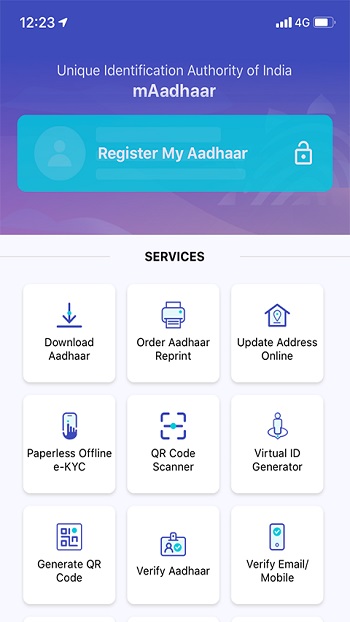
What really gives this app its muscle is how it simplifies tasks that used to take forever. From updating your address to checking if your request has been processed, or even downloading a fresh digital copy of your Aadhaar card, it’s all at your fingertips. If you’re stuck without internet, no stress Aadhaar has got SMS services baked in so you can still access important features when you’re offline. It’s these little things that make the app feel like it actually understands what people need in their day-to-day.
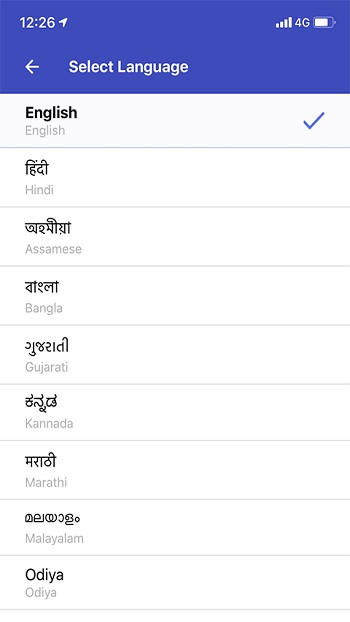
One thing that’s low-key impressive is the language accessibility. India’s got a rainbow of languages, and Aadhaar respects that by offering support in English plus 12 regional languages, making it easy for folks across the country to navigate the app without stress. Even though you’ll still need to type details in English because of mobile keyboard quirks, the interface feels welcoming and inclusive. Whether you're in a metro city or a small town, you’ll find your way around.
Security also gets a solid nod. Users can lock or unlock their Aadhaar number and biometric data whenever they feel like adding an extra layer of protection. There’s even a time-based one-time password generator (TOTP) that keeps your authentication game strong without relying solely on SMS-based OTPs. Safe to say, the Aadhaar app isn’t just about convenience it’s about giving you real control over your digital identity.
FAQs Aadhaar
1. What exactly is the Aadhaar app used for?
+
The Aadhaar app helps Indian residents manage their official Aadhaar identity details, update personal information, download digital copies of their Aadhaar card, and access services like address verification and eKYC sharing, all from their smartphones.
2. Can I use the Aadhaar app if I don’t have an Aadhaar number yet?
+
Yes! You can install the app and check out basic features, but for personalized services like managing your profile or locking biometrics, you’ll need to register your Aadhaar number in the app.
3. How does the Aadhaar app keep my information secure?
+
The app offers strong security features like Aadhaar number locking, biometric data protection, and time-based OTP (TOTP). These tools help keep your details safe from unauthorized access.
4. Is it possible to manage multiple Aadhaar profiles in the app?
+
Absolutely. The app allows you to manage up to three Aadhaar profiles on a single device, provided they all share the same registered mobile number.
5. What if I lose internet access can I still use the Aadhaar app?
+
Yes! Thanks to its SMS service support, you can still access essential features even without an internet connection, ensuring you stay connected with your identity services anytime.
Discover More Interesting Apps
-
 Mod
Mod
Nzb360
v23.4
16.51 Mb
Updated -
Dunia Games
v5.3.0
74.85 Mb
Updated -
DITO APP
v2.12.02
75.18 Mb
Updated -
Mod
Zero Cleaner
v26.6.1
8.74 Mb
Updated -
VPN.lat
v3.9.40
46.77 Mb
Updated -
iGOT Karmayogi
v4.2.25
40.06 Mb
Updated -
Mod
Spatial Touch
v1.2.8
163.58 Mb
Updated -
Mod
SHAREit
v6.26.98_ww
70.80 Mb
Updated -
Mod
Ad Blocker
v7.2.1
10 MB
Updated -
OpenClaw
v2.1.565
1.23 Gb
Updated










Share Your Thoughts